

- Multiple Tabs and Panes
- Multiple Profiles supporting a variety of cammand linke applications
- Unicode and UTF-8 character support
- GPU accelerated text rendering engine, so it provides better performance than the default Windows command line
- Ability to create your own themes and customize text, colors, backgrounds, and shortcuts
How to set Windows Terminal as Default Windows command line?
- First you must install Windows Terminal, you can download it from Microsoft Store
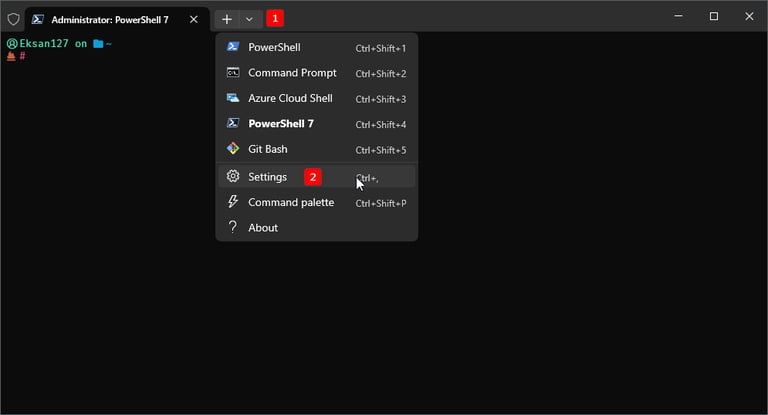
- After finish install, open Windows Terminal and go to Setting (by Clicking down arrow in the top and click Settings)
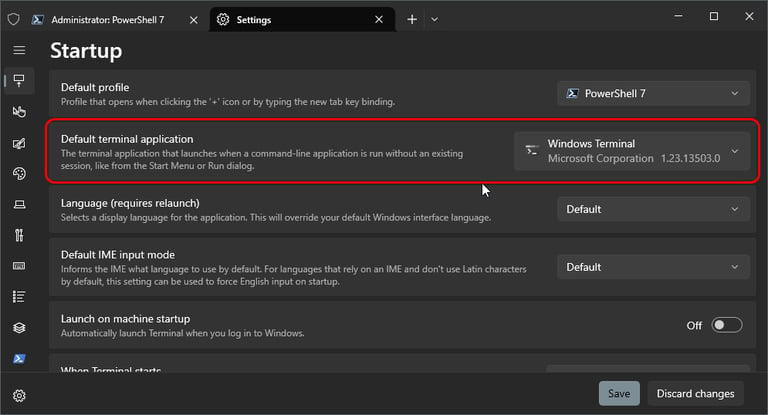
- Page Settings opened and Change “Default Terminal Aplication” to Windows Terminal (See Screenshot)
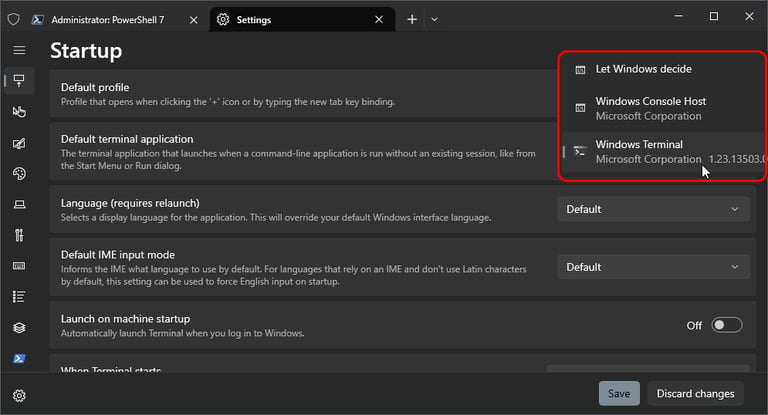
- And Done